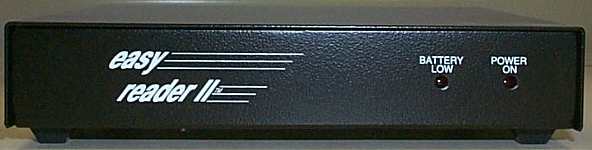


LTC and VITC Time Code Reader/Inserter/Translator with an RS-232 interface. Comes with DB-9 extension cable, 8 pin MAC to DB-9 adaptor. Operates on AA batteries or with supplied 120V AC adaptor. Software included in DOS-logging, EDL, programming examples and more. Also included are two HOT-KEY programs which add time code/ user bits to either DOS or windows applications. The easy reader 2 is a PC controlled Longitudinal(LTC) and vertical Interval(VITC) Time Code Reader and Character Inserter,with LTC to VITC translation capability. An assortment of programs and utilities for operating the easy reader 2 are also supplied, including the "Electronic Front Panel",a program that enables you to control every aspect of the easy reader II's operation with your PC's mouse or keyboard,while providing a complete"front panel" display on your VGA monitor. Communication with the PC is via a standard RS-232 port at 19,200 baud. Programming samples are provided in"C" for those who wish to use the easy reader II with their own software. Character inserter fuctions are also selectable from switches . LTC is read from 1/30 to 4 times play speed in forward or reverse mode and all SMPTE/EBU time code standards including 24,25,30,Drop nad Non Drop Frame are recognized. VITZ is read from still frame to any tape speed that provides a video signal output. In LTC to VITC translation mode, the easy reader II will read LTC from any source and generate VITC on a user selectable line in the vertical interval. Time and user bits can also be inserted into the video, by the built in Character Inserter. Up to 4 lines of time code information can be simultaneously displayed.
 *NEW* HotKey Software
The Manual in Adobe Acrobat PDF format
Files in Adobe Acrobat PDF format are viewed with Abobe Acrobat Reader. If you do not already have Adobe Acrobat installed on your computer, you should download the free Acrobat Reader from Adobe's web site at www.adobe.com. It is also available from our WEB site here.
Download instructions are available on the Adobe web site. Once you have downloaded the Acrobat Reader you can view PDF documents in your web browser if it supports plug-ins or, if it does not support plug-ins, you can save the file(s) to your hard drive and view them by opening them in Acrobat Reader.